
If your child has ever wanted to build their own app but had no idea where to start, this guide is for them. Thanks to AI coding classes for kids online, getting started with app development is no longer restricted to computer science graduates or experienced developers. Tools like MIT App Inventor have made it genuinely possible for young learners, even those in primary school, to go from zero to a working Android app in just a few sessions.
In the UK, more families are looking for structured, accessible ways to give their children a head start in technology. Whether your child just finished their Year 6 SATs or is in secondary school figuring out GCSE options, this is a great time to explore app building. And the good news is that you do not need expensive software or a powerful computer to get started.
This article walks you through everything step by step, including how to use MIT App Inventor, where to find the right online courses, and how real UK students are already building apps from home.
MIT App Inventor Tutorial for Beginners: What You Need to Know First
What Is MIT App Inventor?
MIT App Inventor is a free, browser-based platform developed by the Massachusetts Institute of Technology. It uses a drag-and-drop block coding system, which means learners can build real Android apps without writing a single line of traditional code. You simply connect blocks together, like puzzle pieces, to define what your app does.
The platform is specifically designed for beginners, and children as young as 10 have used it successfully. According to MIT, over 10 million people across 195 countries actively use App Inventor to create apps. That is a pretty strong signal that it works.
What You Need to Get Started
You only need three things:
- A Google account to log in to the MIT App Inventor website.
- A smartphone or tablet running Android (for testing your app on a real device).
- A stable internet connection.
There is no software to install, no subscription to pay for, and no prior coding experience needed. Just open a browser, sign in, and you are ready to go.
Android App Development for Beginners: Understanding the Basics
How Does App Development Actually Work?
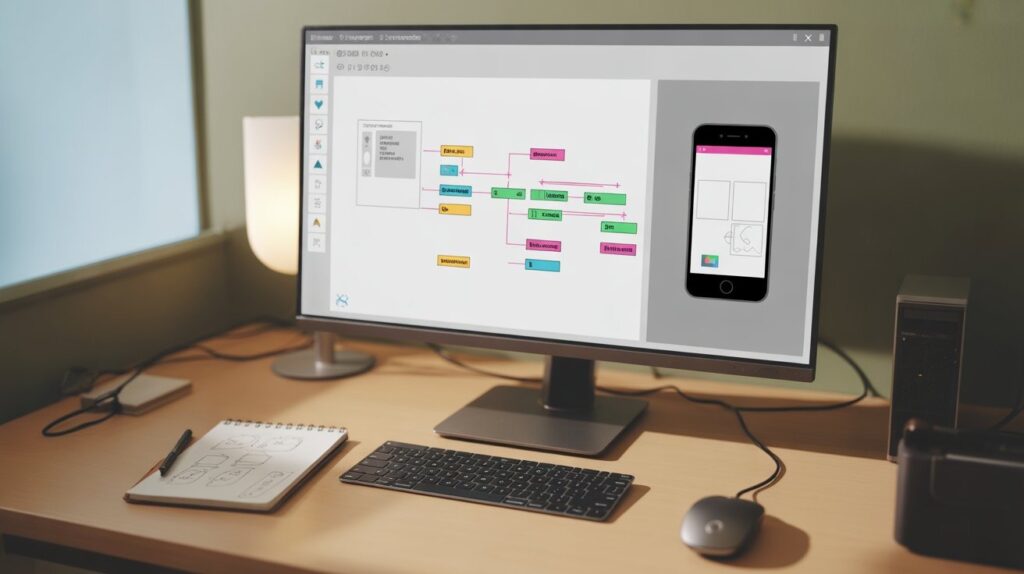
Before building anything, it helps to understand the basic idea behind Android app development for beginners. An app is simply a set of instructions that tells a device what to do when the user taps a button, types something in, or shakes the phone. MIT App Inventor lets you define those instructions visually.
In App Inventor, you work in two main screens. The Designer screen is where you lay out what your app looks like: buttons, images, text boxes, and so on. The Blocks screen is where you tell your app how to behave. For example, you could say: when the user taps the button, play this sound.
A Simple Example to Get the Idea
Imagine building a “Magic 8 Ball” app. The user shakes their phone, and a random answer appears on screen. To build this in App Inventor, you would add a label (to show the answer), use a built-in block called “when phone is shaken,” and then connect it to a block that picks a random item from a list. That is genuinely all it takes. Most beginners complete this type of project in under 30 minutes.
App Building for Kids Online: Why This Skill Matters Now
The UK Digital Skills Gap Is Real
According to a 2023 report by the Learning and Work Institute, over 5 million working adults in the UK have no digital skills at all. At the same time, technology roles are among the fastest-growing job categories in the country. Teaching children app building for kids online is not just a fun activity. It is a practical way to prepare them for a job market that will increasingly reward people who understand how technology works.
Beyond employment, knowing how to build apps teaches problem-solving, logical thinking, and creativity. These are skills that help in every subject, from maths to English, and they feed directly into the kind of computational thinking that is part of the national curriculum from Key Stage 1 onwards.
A UK Student Case Study
Consider the example of Priya Sharma, a Year 8 student at Greenfield Academy in Manchester, who in 2023 built a school timetable reminder app using MIT App Inventor during an after-school coding club. Priya had no prior coding experience. Within six weeks of joining the club and working through online beginner tutorials, she had a functioning Android app that sent her notifications before each lesson. Her teacher, Mr James Patel, noted that Priya’s confidence in technology improved significantly once she could see something she had built working on her own phone.
Stories like Priya’s are becoming more common across UK schools, and many parents are now looking for structured online pathways to support that kind of learning at home.
Beginner App Development Course Online: What to Look for ?
Not All Courses Are Equal
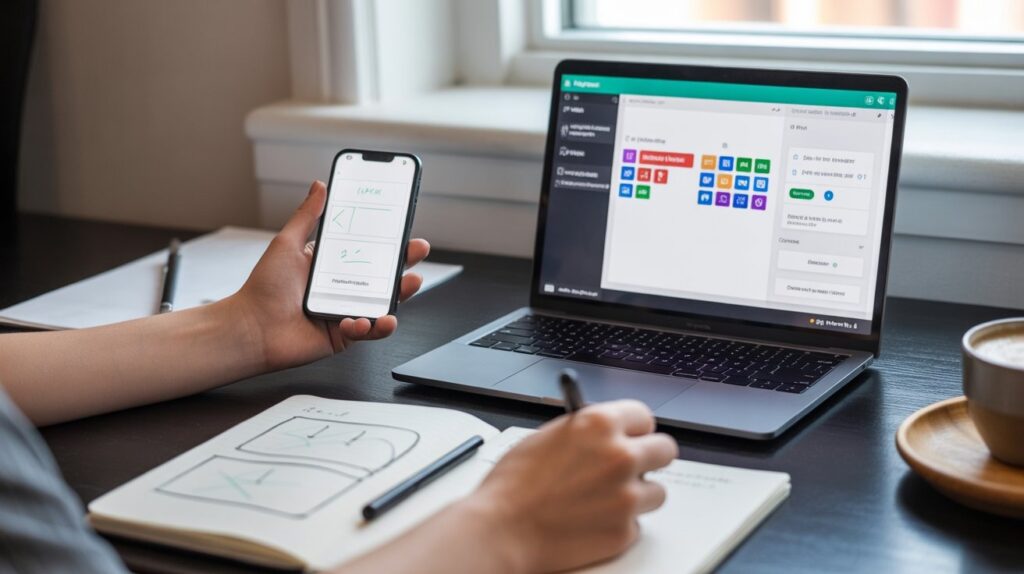
When searching for a beginner app development course online, it is easy to feel overwhelmed. There are hundreds of options, ranging from YouTube playlists to full structured programmes. The key is knowing what to look for.
Here are the most important factors to consider:
- Age-appropriate content: Is the course designed for your child’s age group, or is it aimed at adults?
- Structured progression: Does it move logically from basics to more advanced concepts?
- Live or recorded: Live tutoring offers real-time feedback, while recorded content gives more flexibility.
- Project-based learning: The best courses have learners building actual apps, not just watching videos.
- UK curriculum awareness: Courses that align with the national computing curriculum tend to reinforce school learning rather than replace it.
YourTutor365 and Structured Online Learning
Platforms like YourTutor365 offer structured one-to-one and group sessions that combine the flexibility of online learning with the guidance of a real tutor. This kind of supported learning is particularly effective for children who need encouragement and direction, rather than just a course to watch on their own.
Beginner AI Coding Course Online in the UK: What Parents Should Know
AI Is Already in the Curriculum
The UK government’s computing curriculum encourages schools to introduce pupils to concepts like algorithms, data, and automation from as early as Key Stage 2. A beginner AI coding course online in the UK can build on these foundations and give children a significant advantage, both academically and practically.
Several UK-based online platforms now offer AI-focused courses for children aged 8 to 16, covering topics like machine learning basics, how recommendation systems work, and how AI is used in everyday tools like voice assistants and search engines. These courses tend to use visual coding platforms like Scratch, App Inventor, and Teachable Machine to make abstract concepts concrete.
What SATs and GCSEs Have to Do With It
For children preparing for their Year 6 primary school SATs, coding and logic activities can support maths reasoning in a way that feels less like revision and more like play. For GCSE Computer Science students, understanding how apps are built and how AI systems make decisions is directly relevant to the exam content. Getting a head start through online classes can make a real difference to results.
Learn AI Programming from Scratch: A Realistic Starting Point
You Do Not Need to Know Maths to Start
One of the biggest myths about AI is that you need to be exceptional at maths before you can learn AI programming from scratch. While advanced AI research does involve complex mathematics, the foundational concepts are far more accessible than most people realise. A child who understands basic logic (if this, then that) can start building simple AI-powered projects almost immediately.
Using MIT App Inventor to Introduce AI Concepts
MIT App Inventor has an AI extension called Personal Image Classifier. It allows learners to train a simple image recognition model and use it inside their app. For example, a child could train the model to recognise two different objects, a dog and a cat, and then build an app that identifies which one the camera is looking at.
This is a real, working introduction to machine learning, and it is achievable within a single afternoon session for most children aged 11 and above. No prior knowledge of AI or statistics is required.
Simple App Development Tutorial Step by Step: Build Your First App Today

Step 1: Set Up Your MIT App Inventor Account
Go to appinventor.mit.edu and sign in with a Google account. Click “Start new project” and give it a name. You will see the Designer screen open automatically.
Step 2: Design Your App’s Layout
From the left-hand panel, drag a Button component onto the phone screen in the middle. Then drag a Label below it. In the Properties panel on the right, change the Button text to “Click Me” and the Label text to “Hello!”
Step 3: Add Your First Block of Logic
Click “Blocks” at the top right. You will see a new screen. In the left panel, click on the Button you created. Drag out the block labelled “when Button1.Click do.” Then go to “Label1” in the same panel and drag in the “set Label1.Text to” block and snap it inside. Type “You clicked it!” as the value. That is your first working logic block.
Step 4: Test It on Your Phone
Download the MIT AI2 Companion app from the Google Play Store on an Android device. In App Inventor, go to “Connect” and choose “AI Companion.” Scan the QR code, and your app will appear live on the phone. Tap the button and watch the label change. You have just built and tested your first app.
Step 5: Keep Building
Once you have the basics working, the next step is to add more features: sounds, images, list-based content, or even a simple quiz. A structured simple app development tutorial step by step course will walk you through each of these in a logical order, making the learning stick.
AI Coding Classes for Kids Online: Choosing the Right Path Forward
With so many resources available, the most important thing is to pick one path and commit to it rather than jumping between platforms. AI coding classes for kids online work best when they are consistent, structured, and supported by a tutor or parent who can answer questions and keep motivation high.
Research from the Sutton Trust suggests that structured tutoring, even for just one hour a week, can significantly improve a child’s academic confidence and outcomes. Applying that same principle to coding makes a lot of sense. A child who attends one focused online coding session per week will, over the course of a school year, build a portfolio of real projects they can be proud of.
Conclusion
Building your first Android app is far more achievable than most people think, especially with tools like MIT App Inventor and the range of structured courses now available online. Whether your child is a curious Year 5 pupil or a motivated GCSE student, there is a pathway into app development that suits their level and learning style.
If you are looking for expert guidance and a structured programme tailored to your child’s needs, YourTutor365 is a great place to start. Their tutors work with young learners across the UK, helping them move from complete beginner to confident app builder at their own pace. The skills they develop along the way, logical thinking, creativity, and problem-solving, will serve them well beyond any single exam or project.
Frequently Asked Questions
1. What age is suitable for AI coding classes for kids online?
Most online AI coding classes are designed for children aged 8 to 16, with many platforms offering age-specific tracks starting from as young as 7.
2. Is MIT App Inventor free to use?
Yes, MIT App Inventor is completely free and requires only a Google account to access via any web browser.
3. Can my child build a real Android app without prior coding experience?
Absolutely. MIT App Inventor uses drag-and-drop block coding, which makes it accessible to complete beginners with no previous programming knowledge.
4. How long does it take to build a first app using a simple app development tutorial step by step?
Most beginners can complete a basic working app in one to three sessions of around 45 to 60 minutes each, depending on the complexity of the project.
5. Are there beginner AI coding courses online in the UK that follow the national curriculum?
Yes, several UK-based platforms align their courses with the national computing curriculum, making them a useful supplement to school learning from Key Stage 2 through GCSE.
